
Brands with strong traditional SEO rankings are getting skipped by ChatGPT, Perplexity, and Google’s AI Overviews. Not because their content is bad, but because it’s structured for a retrieval system that AI pipelines don’t use. Four days at SEO Week NYC 2026 laid out exactly what’s broken and what fixes it.
You’ve likely watched this play out already: rankings hold, but traffic from AI-generated answers goes to competitors. Or a prospect mentions they “looked it up” before calling, more recently meaning they asked an AI. The problem isn’t your SEO. It’s that the signals AI systems use to decide what to cite are often different than the signals that determine traditional rankings, and most brand sites haven’t been built for them yet.
AI Systems Filter Out Most Content Before They Ever Read It
AI retrieval pipelines evaluate content through a series of eligibility checks before a model ever sees it. Content that fails those checks can’t be cited, regardless of its quality or ranking. Krishna Madhavan, Principal Product Manager at Microsoft AI, opened the conference by describing what he called the “invisible, converged web”: a layer of grounding confidence scores, safety filters, publisher controls, and attribution signals that sits between your content and the AI systems your audience is using. If your content doesn’t carry the right signals, it gets filtered out at that layer. It never reaches the model.
This is the structural gap most brands don’t know they have. A page can rank on the first page of Google and be completely absent from AI-generated answers on the same topic, because ranking signals and retrieval eligibility signals are different. Google evaluates pages. AI pipelines evaluate whether individual content blocks are structured, sourced, and verified enough to ground a response. Madhavan’s framing was precise: modern SEO and GEO now feel less like ranking tactics and more like a distributed systems challenge, where the goal is coordinating the signals that let AI pipelines trust and reuse your content.
In every GEO audit we run at Oomph, most brand sites are missing at least two of those signals. The most common gaps are invisible in standard SEO tooling, which is exactly why brands with strong traditional performance are still surprised when their AI citation share is near zero.
Traffic Metrics Will Lie to You About Your AI Search Performance
AI Overviews, ChatGPT, and Perplexity are answering questions in your category and not sending traffic to your site, but your analytics won’t show you that as a problem, because there’s no traffic to track. Jori Ford, Chief Marketing and Product Officer at FoodBoss, introduced the HEO (Hybrid Engine Optimization) framework at SEO Week specifically to address this measurement gap. Her Hybrid Engine Score is a weekly composite that tracks both traditional ranking performance and AI citation performance in a single number. Measuring them separately, or measuring only one, gives you an incomplete and often misleading picture of your actual search visibility.
Dale Bertrand of Fire&Spark extended this into the CFO conversation that most marketing leaders are currently losing. If your traffic is down but AI-influenced conversions are up, you’re actually winning. GA4 misses most AI-driven attribution, so you look like you’re failing. Bertrand’s work with global brands showed that revenue-focused GEO consistently produces stronger business outcomes than traffic-focused SEO when you measure far enough downstream. The brands building that measurement and implementation frameworks now are the ones who’ll be able to defend AI search investment in 12 months, when leadership starts asking why organic traffic hasn’t recovered.
“Revenue-focused GEO consistently produces stronger business outcomes than traffic-focused SEO.”
A Weak Paragraph Loses to a Strong One Every Time
AI systems retrieve at the paragraph level, not the page level, which means every paragraph on your site now competes independently to be cited. Mike King’s session was the most direct of the conference on this point. His framing: Google has been operating semantically for over a decade, most SEO tooling still does keyword math, and the gap between what tools measure and what AI systems actually evaluate has become the opportunity for brands willing to close it. A well-structured, well-evidenced paragraph on a thinner site gets cited ahead of a buried, unfocused paragraph on a high-authority domain.
The practical consequence for your content team is specific. Paragraphs need to open with their conclusion, not build toward it. Each paragraph should address one provable idea with enough context that it can be extracted and stand alone. Sourcing needs to be explicit and named. An unnamed statistic is an assertion an AI system can’t ground.
The brands we work with who’ve rebuilt their content architecture around these requirements are seeing measurable improvement in AI citation rates within 60–90 days. That improvement shows up in AI Overview appearances and third-party platform citations before it shows up in traffic numbers.
Four Technical Requirements Now Sit Between Your Content and AI Citation
Structured, sourced, crawlable, and machine-readable content gets cited by AI systems. Content missing any one of those properties gets filtered before retrieval. Andrea Volpini, CEO of WordLift, described the staged retrieval process AI systems use: models don’t consume your site whole, they pull from a pre-filtered subset of content that met a minimum bar for structure and verifiability. Content that isn’t structured, connected, and verifiable gets excluded from that subset, regardless of how good it is as writing.
The four technical requirements that determine whether your content clears that bar are: AI crawler access confirmed in your robots.txt; schema markup that is complete, accurate, and present on key pages; an llms.txt file that correctly tells AI agents what they can use from your site; and content blocks written so individual paragraphs can stand alone as cited answers. In every GEO audit we run at Oomph, most brand sites are missing at least two. None of these are advanced configurations. They’re the new baseline for being retrievable. Platforms like Scrunch can show you exactly where you stand across ChatGPT, Perplexity, Gemini, and Google AI Overviews: which prompts surface your brand, which source pages are driving citations, and where competitors are getting cited in your place.
The Brands That Close This Gap First Will Be Significantly Harder to Displace
AI citation compounds the same way that traditional search authority compounds. Brands that establish consistent citation history build a signal advantage that takes competitors real time to close. The difference from traditional SEO is that the window to build that advantage early is shorter, because the field is moving fast and the gap between brands actively building for AI retrieval and brands waiting to see how it develops is widening every month.
The sequencing for closing that gap is straightforward. Technical access for AI crawlers comes first, because you can’t be cited if you can’t be read. Schema markup and structured data come next, because they’re the verification signals AI systems use to trust your content.
Passage-level content architecture follows. Reformatting existing strong content for standalone paragraph retrieval is often faster than creating new content. Third-party brand presence on the platforms AI models train on comes last, because it’s the authority signal that determines whether an AI system treats your content as a credible source or skips it in favor of one it recognizes.
At Oomph, we run GEO audits that score your site across all four of these dimensions and return a prioritized 30-day action plan. If you’re not sure where your brand stands on AI visibility, the audit tells you exactly which gaps are costing you citations right now. Talk to us about a GEO audit.
Overview
Bradley Hospital is the nation’s first hospital dedicated exclusively to children’s mental health and behavioral health care, and a teaching hospital for Brown University. Families travel from across the country seeking specialized care. Providers turn to Bradley for clinical expertise, education, and research. The organization’s national reputation is well established.
Previously, Bradley’s website lived inside the broader Brown University Health system site, a shared platform built to serve an entire health system with a wide range of services and audiences. As Bradley’s clinical profile and reach expanded, the opportunity emerged to give the organization its own dedicated digital home: one structured specifically around the people who turn to Bradley, the content they need, and the urgency they often feel when they arrive.
That’s the work Oomph was brought in to do.
The Challenge
Elevating Bradley’s digital presence to match the weight of its clinical reputation meant addressing three interconnected opportunities.
First, consolidating Bradley’s content into a unified, findable home. Some Bradley content lived in its own section of the Brown University Health site, while some was spread throughout the broader system. Key educational resources were either static PDFs or hosted on external platforms with no connection to Bradley’s web presence. Users who found one piece of content had no clear path to related resources. Bringing everything together under a single, purpose-built destination would make that content far more discoverable to those in need.
Second, building a structure around Bradley’s specific audiences. Families searching for care for a child in crisis, providers evaluating referral options, and clinicians seeking professional development have distinct needs and varying levels of urgency. Building a dedicated site allowed us to create an Information Architecture that centered around those three groups: their priorities, their task flows, and the moments when they most need clear answers.
Third, establishing a dedicated search and AEO/GEO presence. A standalone domain with structured, indexable content is the foundation for organic search visibility. It’s also increasingly central to how AI-powered tools and engines surface authoritative health information. Bradley is among the most authoritative institutions in the country on pediatric mental health. A dedicated digital presence would enable that authority to translate directly into discoverability for both traditional search and AI-driven discovery.
The Approach
Oomph partnered with Bradley Hospital leadership, clinicians, and internal stakeholders to understand each audience’s needs before making any structural decisions. Those conversations shaped content priorities, navigation architecture, and the task flows that matter most: finding care, accessing crisis support, making a referral, and registering for a course.
A dedicated platform within a shared infrastructure
The site was built in Drupal using the Domain Access suite of modules. This architecture gave Bradley a fully independent domain and brand while keeping it connected to the Brown University Health ecosystem. Bradley-specific content serves exclusively on BradleyHospital.org. Shared resources adapt dynamically to the appropriate domain and theme. Canonical URL strategies prevent SEO conflicts across the two properties. Bradley’s team gained full control of their digital presence without duplicating the operational overhead of maintaining a separate platform.
Three new content types that replaced fragmentation
One of the most significant structural decisions was building purpose-built content types for Conditions, Courses, and Podcasts, formats designed specifically for how Bradley’s audiences search for and engage with information. A long-standing mental health education publication that had existed only as a PDF became structured, accessible web pages. Courses previously hosted on external platforms moved directly into the site, improving visibility, searchability, and registration flow. Podcasts became indexable content connected to related topics and programs. Taxonomy-driven connections across all three types help users navigate related content naturally, rather than hitting a dead end.
Navigation built for action
A custom “I Want To” quick-action menu surfaces the highest-priority tasks across all user types: finding care, accessing crisis support, exploring programs, and making a referral. Families in stressful moments can reach critical information within one or two clicks. Key conversion pathways, including crisis help, philanthropic giving, career exploration, and educational resources, were elevated in the global navigation to reduce friction wherever a user enters the site.
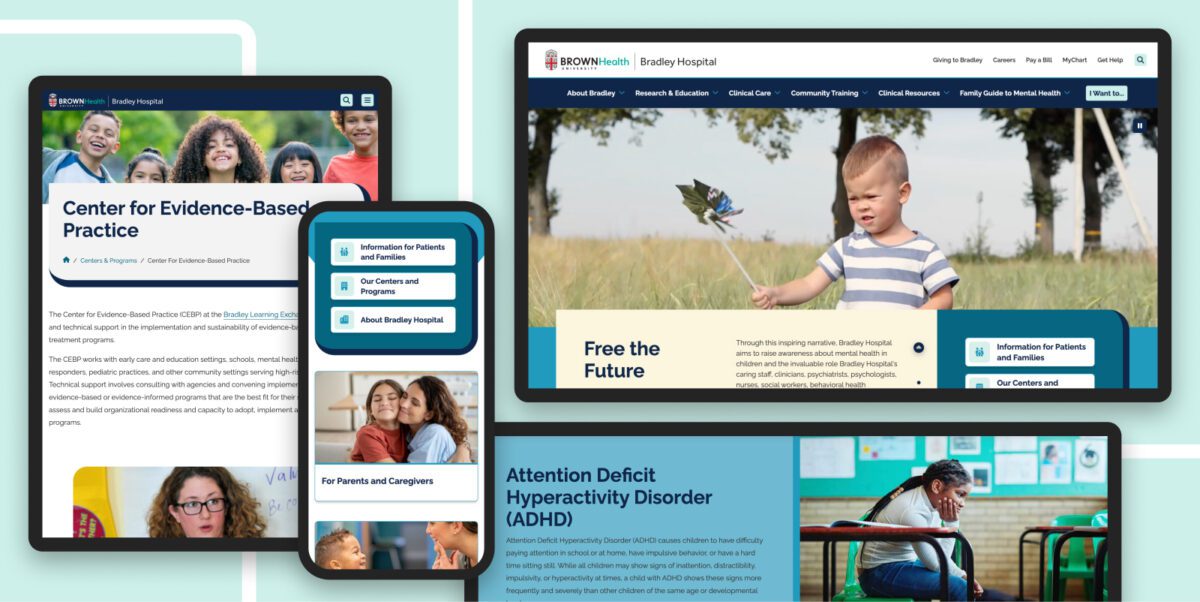
Design that earns trust without creating distance
Bradley’s visual identity needed to feel distinct from Brown University Health while remaining credible within that system. The design extends the Brown Health palette, then refines it: rounded shapes, thick borders, muted tones, and soft animations that create a sense of warmth and approachability without sacrificing authority. As one key stakeholder described it, the site “speaks ‘professional’ while also having a little lighter touch to it.” Accessibility and mobile responsiveness were integrated throughout, with WCAG best practices and screen reader compatibility front of mind throughout the design process rather than as afterthoughts.
What This Made Possible
Since launching in November 2025, BradleyHospital.org has attracted more than 95,000 new users, with nearly 89,000 sessions driven by organic search, the direct result of the dedicated domain and SEO-structured content. The site’s dedicated domain also helps ensure that Bradley content is correctly attributed and surfaced by AI-powered search tools and generative engines. Clear brand identity, structured content, and a standalone domain are exactly the signals those systems use to identify authoritative sources. For a site that previously had no independent search presence, that volume of organic discovery represents a fundamental shift in how families and providers find Bradley online.
Nearly half of all visitors arrive on mobile (48.1%), which validates both the design investment and a harder truth: families searching for pediatric mental health resources aren’t always doing so from a desk. They’re doing it from a parking lot, a waiting room, or a kitchen table at night. The mobile experience was built for that reality.
Key program and condition pages are generating engagement time that indicates genuine research, not quick bounces. Pages covering intensive OCD and anxiety programs, outpatient services, and levels of care are averaging 50 to 83 seconds of engagement time, a range consistent with focused, task-oriented research behavior. Users spend real time with the content that matters to them before taking action, rather than scanning and bouncing. The Courses page averages 65 seconds.
The returning user base of 13,000 is meaningful in context. Families researching care for a child often return to a site multiple times before taking action. That return behavior signals that the site is functioning as a trusted resource, not just a one-time destination.
Bradley’s team can now manage, update, and promote their content independently, without navigating the constraints of a shared health system platform. The structured content model makes it faster to add new conditions, publish new courses, and surface new resources without relying on outside support for routine updates.
The result
BradleyHospital.org is a purpose-built digital system that reflects the organization’s national authority in pediatric mental health while meeting the practical, urgent needs of the families and providers it serves. The independent domain, structured content architecture, and accessible design give Bradley both the visibility and the operational foundation to grow its digital presence on its own terms.
The site launched in November 2025 with a user testing initiative now underway to inform the next phase of optimization, an approach that reflects Bradley’s commitment to continuous improvement rather than a one-time launch. Design refinements and accessibility enhancements are being worked into the roadmap as the organization gathers real-world feedback from the community it serves.
Why This Matters
Healthcare organizations known for clinical excellence often find it difficult to showcase their unique strengths when operating within the digital ecosystem of a larger health system. The gap creates real costs: families can’t find care, providers can’t make informed referrals, and educational resources reach a fraction of the audience they should. Closing that gap requires more than a redesign. It requires a system that’s structured to perform, built to be maintained, and designed around the people who need it most.
The Business Context
CarGurus operates one of the largest online automotive marketplaces in the U.S. Its revenue model depends on dealer subscriptions. Dealers pay for access to shopper data, market intelligence, product tools, and business support. When that relationship is mediated by digital, the quality of the digital experience is not a design question. It is a retention question.
By 2019, the infrastructure supporting that relationship had become a strategic liability.
The Problem: Digital Debt at Scale
CarGurus’ dealer-facing web presence had grown organically into a collection of disconnected properties: multiple WordPress sites, a gated resource center, a product microsite, and a dealer dashboard. Each operated independently, with different workflows, separate analytics, and no shared content standards.
The consequences were structural, not merely cosmetic.
For internal teams: The B2B marketing team could not publish or update content without engineering support. Campaign velocity, product launches, and content strategy were bottlenecked by a dependency that had nothing to do with marketing capability. Without centralized reporting, leadership had no way to understand what was working or where dealers were dropping off.
For dealers: Research and interviews surfaced a consistent pattern. There was no obvious place to log in, product information and help content scattered across destinations, and shopper data siloed away from the resources that gave it context. The experience communicated the opposite of CarGurus’ intent. Dealers found fragmentation where they expected authority. Pre-consolidation data made the cost of that fragmentation concrete. The Dealer Resource Center carried a bounce rate of 61.57%, the Insights pages topped 80%, and the bulk of visitors spent fewer than 10 seconds on the site. Nearly 15% of dealers reported struggling to find information, with the disjointed experience cited as the primary reason.
For compliance: Accessibility gaps across the WordPress properties introduced regulatory risk and excluded users relying on assistive technology, a segment of the dealer population that was simply invisible.
The problem was not any single site. It was the absence of a system.
The Diagnosis
Most agencies, presented with this problem, would have proposed a website redesign. Oomph diagnosed something different. CarGurus did not have a website problem, they had an operating model problem that manifested through websites.
The fragmentation was a symptom of three root causes:
- No content governance model. Without shared standards, each property developed its own editorial process, its own taxonomy, its own way of doing things. Content proliferated without coherence.
- No editorial independence. The marketing team’s dependency on engineering for routine publishing created a structural bottleneck that compounded over time. Every campaign, every update, every product launch queued behind engineering capacity.
- No shared measurement. Without centralized analytics, CarGurus could not connect dealer behavior across properties, could not identify friction points in the engagement journey, and could not make evidence-based decisions about where to invest.
Fixing any one of these without the others would have reproduced the same problem on a new platform.
The Solution: A Dealer Engagement System
Oomph began with structured discovery across sales, support, UX, and marketing using stakeholder interviews, a full content audit, heatmap analysis, and a card sort exercise to understand how dealers actually navigate and categorize content. The critical finding was that dealers organized information around their workflows and tasks, not around CarGurus’ internal team structures. The existing architecture reflected the org chart. The new one needed to reflect the dealer. Dealer research also surfaced where content investment would matter most. 38.78% of dealers were very interested in digital marketing best practices, and 36.12% in automotive marketing best practices, two content categories that had been scattered or buried across the fragmented properties.
From that research, Oomph designed and built three interconnected capabilities.
A Unified Content Platform
Three separate sites, the Dealer Resource Center, the Dealer Account Request page, and the product microsite at products.cargurus.com, were consolidated into a single governed destination. The Contentful-based content portal consolidated Articles, Events, Products, Authors, and reusable Design Components into a single governed destination, with localization for the Canadian market. The content model was documented and governed, giving the marketing team full editorial control without engineering dependency.
Centralized Measurement
One destination meant one analytics framework. For the first time, CarGurus could track dealer engagement across the entire content ecosystem, not property by property, but as a coherent journey. Internal teams could direct every channel to the same URL, building familiarity and reinforcing the hub over time.
Systematic Accessibility Remediation
Accessibility work ran in two phases, starting with the existing WordPress properties (addressing contrast failures, empty labels, and keyboard navigation gaps), then post-launch across three Contentful-based sites targeting WCAG 2.1 compliance. Remediations included fixing keyboard navigation and adding tab focus rings across dropdown menus, correcting color contrast ratios to meet the WCAG 4.5:1 standard in headers, forms, and FAQ blocks, adding alt text to logos and informational icons, and converting static chart images into accessible HTML formats. This was not a one-time fix but a repeatable compliance process designed to scale with the platform.
What Changed
Operational velocity: The marketing team gained the ability to publish, update, and govern content independently, removing the bottleneck that had constrained their ability to execute for years.
Dealer experience: Three sites became one. Dealers gained a single, consistent destination for products, services, research, and account access. The experience shifted from fragmented and frustrating to coherent and navigable. Where pre-consolidation data showed bounce rates above 61% and the majority of visitors spending fewer than 10 seconds on site, the unified hub gave CarGurus the structural foundation to actually retain and re-engage that audience.
Strategic visibility: Centralized analytics replaced fragmented multi-site tracking, creating a shared foundation for understanding dealer behavior and making evidence-based decisions about content investment, product positioning, and engagement optimization.
Market reach: Accessibility remediation across five properties extended the platform to dealers using assistive technology, a population that had been excluded by the previous architecture.
The Strategic Takeaway
Complex B2B organizations accumulate digital debt one property at a time. By the time the cost becomes visible, it has already slowed marketing, obscured what matters, and turned internal fragmentation into a customer-facing problem.
CarGurus’ situation is common. What made the engagement different was the diagnosis. The dealer experience needed to be treated as an integrated system rather than a collection of sites to be redesigned. The distinction matters. A site redesign solves today’s problem. A system creates the infrastructure to solve tomorrow’s.
Oomph delivered the architecture, governance model, and editorial capability for CarGurus to keep improving dealer engagement over time, not as a one-time project, but as an ongoing organizational capability.
Ready to turn your digital fragmentation into a system? Let’s talk about what’s possible for your organization.
Summary
Most organizations are treating SEO and Generative Engine Optimization as two separate disciplines – and wasting resources in the process. The real strategic question is not which channel to optimize for but whether your content is built to be reused: extracted, synthesized, and cited by both search algorithms and AI answer engines. We call this Citation-Ready Content Architecture – a unified approach where structure, authority, and specificity make content perform across every discovery surface simultaneously. Organizations in regulated industries face compressed timelines: healthcare queries already trigger AI Overviews on nearly half of all searches.
Sixty percent of Google searches now end without a click. That number is not a forecast – it is a 2025 finding from Bain & Company. Meanwhile, Gartner predicts traditional search volume will drop 25% by the end of 2026 as users migrate to AI-powered answer engines. And here is the statistic that should change how you think about your content strategy: according to Ahrefs, 80% of URLs cited by ChatGPT, Perplexity, and Copilot do not rank in Google’s top 100 results for the original query.
That last data point is the one most SEO-vs.-GEO articles ignore. If the overlap between traditional rankings and AI citations were nearly complete, you could optimize for one and trust the other to follow. It is not. The two discovery channels draw from overlapping but meaningfully different content signals. Treating them as a single problem or two separate problems are both the wrong framing.
Why Is the “SEO vs. GEO” Framing Wrong?
Because it implies a choice between two competing strategies, when what actually matters is a single architectural principle applied across both.
SEO optimizes content for ranking position – getting your page onto a results list a human scans and clicks. GEO – Generative Engine Optimization, a term formalized by researchers at Princeton, Georgia Tech, and IIT Delhi in 2024 – optimizes content so AI systems can retrieve, synthesize, and cite it when generating answers. The Princeton study demonstrated that GEO techniques can boost content visibility in AI-generated responses by up to 40%, and that the most effective strategies vary by domain.
The difference is real. But the industry conversation has overcorrected, treating GEO as something exotic that requires a fundamentally new playbook. As Entrepreneur reported in April 2026, teams are making preventable mistakes by treating GEO “like an exotic new discipline” and shifting budget away from technical SEO into untested “AI visibility hacks.” Research from AirOps found that pages ranking number one in Google were cited by ChatGPT 3.5 times more often than pages outside the top 20.
Strong SEO remains the foundation. GEO is the structural extension that makes your existing authority legible to AI systems. They are not two strategies. They are one architecture.
What Makes Content “Citation-Ready” for Both Search and AI?
Citation-Ready Content Architecture is the practice of structuring content so it simultaneously ranks in traditional search results and gets extracted and cited by AI answer engines. It is not a new technology stack or a separate editorial workflow. It is a design principle: every piece of content your organization publishes should be built for reuse from the start.
Three characteristics define citation-ready content:
Modular structure. AI systems do not read your article top to bottom and decide whether to cite the whole thing. They extract passages – a definition, a statistic, a direct answer to a question. Content with clear headings, self-contained sections, and answer-first paragraphs gives both search engines and AI systems clean material to work with. The Princeton GEO study found that adding statistics to content improved AI visibility by 41%, and citing credible sources improved it by 115% for lower-ranked pages.
Demonstrated authority. Seer Interactive’s September 2025 study of 3,119 queries across 42 organizations found that brands cited in AI Overviews earned 35% more organic clicks and 91% more paid clicks than those not cited. Authority is no longer just a ranking signal – it is the qualification for being included in AI-generated answers at all. Author credentials, original research, linked sources, and topical depth are now dual-purpose investments.
Specificity over generality. AI systems select content that provides extractable facts – numbers, definitions, named frameworks, concrete comparisons. Content that gestures vaguely at a topic (“there are many factors to consider”) gets skipped in favor of content that states something specific and citable. We have written previously about how LLMs index and use content – the same accessibility and structural principles that help AI crawlers parse your pages also make your content more citation-worthy.
Why Are Healthcare and Higher Education Hit Hardest?
Because AI Overviews appear at disproportionately high rates for the query types these industries depend on – and the consequences of being absent or misrepresented are far more serious than lost traffic.
Conductor’s Q1 2026 analysis of 21.9 million searches found that healthcare queries trigger AI Overviews at a rate of 48.75% – nearly double the overall average of 25%. Technology queries trigger at roughly 30%. For healthcare organizations and universities, AI is already mediating nearly half the informational queries that drive patient acquisition and enrollment.
The real-world impact is already measurable. U.S. News reported in March 2026 that nearly 80% of people searching for degree information read Google’s AI Overviews, and many never click through to an institution’s website. The University of Maryland Global Campus responded by using AEO and GEO techniques to revise its degree pages and A/B test FAQ-style content. Johnson County Community College found that while AI-driven traffic represents less than 1% of its website visitors, engagement from that group is 59% above its site-wide average – suggesting AI-referred visitors arrive further along in their decision-making process.
For healthcare, the stakes go beyond enrollment. When AI engines synthesize clinical information, the accuracy of that synthesis depends on the quality and structure of the sources available. Organizations that have not optimized their content for AI citation are not just losing visibility – they are ceding authority over how their expertise gets represented to patients who increasingly trust AI-generated answers.
What Does the HubSpot Collapse Tell Us About This Shift?
That traffic built on loosely related content is structurally fragile in an AI-mediated search environment.
Multiple industry analyses documented an approximately 80% traffic drop across HubSpot’s blog properties as AI Overviews began answering the high-funnel informational queries that had driven HubSpot’s organic growth for over a decade. Pages about “famous sales quotes” and “cover letter examples” had driven enormous traffic but had minimal connection to HubSpot’s core CRM platform. When Google’s algorithm update prioritized content closely tied to a website’s core expertise, and AI Overviews began answering those generic queries directly, the traffic evaporated.
The lesson is not that content marketing failed. It is that content disconnected from your organization’s core authority is exactly the kind of content AI systems will summarize without ever sending a visitor your way. In our GEO optimization Q&A, we outline why organizations should start with their highest-authority content when optimizing for AI visibility rather than trying to cover every possible keyword.
For organizations in regulated industries – where your content is tightly tied to your institutional expertise by design – this is actually an advantage. A hospital publishing evidence-based patient education content is inherently closer to citation-ready than a SaaS company publishing tangentially related blog posts for traffic volume. The structural alignment is already there. What is often missing is the formatting and schema work that makes it extractable.
What Should Content Teams Do First?
Start with what you already have. The gap between SEO-optimized content and citation-ready content is usually structural, not substantive.
1. Audit your top 20 pages for extractability. Read the first paragraph of each section in isolation. Does it directly answer a question someone would ask an AI tool? If not, restructure it. AI systems and Google’s AI Overviews pull from the opening sentences of well-structured sections – bury your answer three paragraphs deep and it will not get cited.
2. Add the schema AI systems actually use. Implement FAQPage, Organization, Article, and author schema across your priority content. BrightEdge found that sites implementing structured data and FAQ blocks saw a 44% increase in AI search citations. Author schema is especially high-impact: websites with author schema are 3x more likely to appear in AI answers.
3. Track AI visibility alongside traditional rankings. Oomph’s GEO Analytics and Reporting service configures tracking in GA4 and Google Search Console to monitor AI bot traffic and AI-generated search impressions that standard analytics miss. At minimum, create referral segments for chat.openai.com, perplexity.ai, and other AI platforms, and watch for the signature pattern of rising impressions with declining clicks – the clearest signal that AI is summarizing your content without sending traffic.
The organizations that will maintain visibility over the next two years are not the ones choosing between SEO and GEO. They are the ones building content that works across both discovery surfaces from the start – structured for extraction, grounded in genuine expertise, and specific enough that AI systems treat it as source material rather than background noise.
That is not a new content strategy. It is the old one, built to the standard the new environment actually requires.
Summary
Most content strategies optimize for one outcome: ranking. Ranking is only half the visibility equation now. Citation-Ready Content Architecture, developed at Oomph, helps organizations build content that performs across traditional search results and AI-generated answers simultaneously. It rests on three principles – modular structure, demonstrated authority, and extractable specificity – and we apply it with clients in healthcare, higher education, and government where being cited accurately is as important as being found.
This crystallized during a client conversation earlier this year. We were looking at their analytics – a major healthcare organization – and the pattern was striking. Impressions were climbing. Rankings were stable. But clicks were dropping steadily, month over month. The content was being surfaced by Google, but patients were getting their answers from AI Overviews without ever visiting the site.
That’s a visibility problem most of us weren’t trained to solve – and it requires a different content architecture.
Gartner predicts traditional search volume will drop 25% by the end of 2026 as users migrate to AI-powered answer engines. Ahrefs found that 80% of URLs cited by ChatGPT, Perplexity, and Copilot don’t rank in Google’s top 100 for the original query. And the Pew Research Center’s study of 68,879 actual Google searches found that only 8% of users clicked a traditional result when an AI Overview appeared, compared to 15% without one – roughly half the click-through rate.
Content that ranks and content that gets cited aren’t always the same – but they can be, if you build for both from the start. That’s Citation-Ready Content Architecture.
What Is Citation-Ready Content Architecture?
Citation-Ready Content Architecture is the practice of structuring digital content so it simultaneously ranks in traditional search engine results and gets extracted, synthesized, and cited by AI answer engines like ChatGPT, Google AI Overviews, and Perplexity. Developed by Oomph as a framework for regulated industries, it combines modular content structure, demonstrated authority signals, and extractable specificity into a unified content design principle – replacing the need to maintain separate SEO and GEO strategies.
The key word in that definition is “simultaneously.” That means content architecturally designed to work across every discovery surface – ranked results, AI summaries, voice assistants, whatever comes next – because the underlying structure supports all of them.
In our work with clients across healthcare, higher education, and government, we’ve found this transition isn’t a massive lift for organizations with strong content fundamentals. The gap between SEO-optimized and citation-ready content is structural, not substantive – it’s about how content is organized, not whether it’s good.
Why Do Organizations Need a New Content Architecture Now?
Information discovery has forked. Content built for only one path leaves visibility on the table.
Two parallel discovery systems now exist. Traditional search ranks your content in a list users scan. AI-powered answer engines synthesize information from multiple sources into a single response – often without the user ever clicking through to your site.
The research is unambiguous. The foundational Princeton GEO study demonstrated that content optimized for generative engines can boost visibility by up to 40% in AI responses. But it also showed that the most effective strategies vary by domain – what works for a law firm doesn’t necessarily work for a children’s hospital. A March 2026 study from researchers at the University of Tokyo found that structural optimization alone – independent of content changes – improved citation rates by 17.3% across six major generative engines.
The most striking finding: research from AirOps found that pages ranking number one in Google were cited by ChatGPT 3.5 times more often than pages outside the top 20. Strong SEO remains the foundation. Citation-ready architecture is what makes that foundation legible to AI systems too.
What Are the Three Principles of Citation-Ready Content?
The framework rests on three principles. Each serves both search engines and AI systems simultaneously – that dual purpose is the point.
Modular structure
AI systems don’t read your article start to finish and decide whether to cite the whole thing. They extract passages – a definition, a data point, a direct answer to a specific question. Content with clear headings, self-contained sections, and answer-first paragraphs gives both search algorithms and AI systems clean material to work with.
We’ve written about how LLMs index and use content – and the takeaway is that the same accessibility principles that help AI crawlers parse your pages also make your content more citation-worthy. Semantic HTML, logical heading hierarchies, and sections that can stand on their own aren’t new concepts. They’re just worth more now than they’ve ever been.
Demonstrated authority
Being cited by AI systems has become a meaningful competitive advantage. BrightEdge found that sites earning citations inside AI Overviews see CTR increases of up to 35% compared to traditional organic rankings alone. Websites with author schema are 3x more likely to appear in AI answers, and sites implementing structured data and FAQ blocks saw a 44% increase in AI search citations.
In practice, demonstrated authority means: Author credentials on every piece. Original data and research when you have it. Linked sources for every claim. Topical depth across related content – not one-off articles, but interconnected clusters that demonstrate sustained expertise.
Authority isn’t just a ranking signal – it’s the entry qualification for AI inclusion.
Extractable specificity
This is the one that separates citation-ready content from content that’s merely well-written. AI systems select content that provides extractable facts – numbers, definitions, named frameworks, concrete comparisons. Content that gestures at a topic (“there are many factors to consider”) gets skipped in favor of content that states something specific and citable.
The Princeton study found that adding statistics to content improved AI visibility by 41%, and citing credible sources improved visibility by 115% for lower-ranked pages. That 115% figure is significant: it means content that isn’t winning the traditional ranking game can still earn AI citations by being specific and well-sourced.
How Does This Apply Differently in Regulated Industries?
For regulated industries, the stakes are higher and the timeline compressed – but the structural fit is actually better.
Conductor’s Q1 2026 analysis of 21.9 million searches found that healthcare queries trigger AI Overviews at a rate of 48.75% – nearly double the overall average. For healthcare organizations and universities, AI is already mediating close to half the informational queries that drive patient acquisition and enrollment.
The structural advantage for regulated industries is real. Organizations in regulated industries – healthcare systems, universities, government agencies – produce content that’s inherently tied to their institutional expertise. A hospital publishing evidence-based patient education content is structurally closer to citation-ready than a SaaS company publishing tangentially related blog posts for keyword volume. The authority is real. The specificity is built in by the nature of the content. What’s typically missing is the formatting and schema work that makes it extractable.
When we optimize content for GEO, the biggest wins often come from restructuring content that already exists – not creating new content from scratch.
What Should You Do First to Make Your Content Citation-Ready?
Start with what you have. The gap is almost always structural, not substantive.
- Audit your top 20 pages for extractability. Read the first paragraph of each section in isolation. Does it directly answer a question someone would ask an AI tool? If it doesn’t, restructure it. AI systems pull from the opening sentences of well-structured sections. Bury your answer three paragraphs in and it won’t get cited.
- Implement the schema that AI systems actually use. FAQPage, Organization, Article, and author schema across your priority content. Author schema is especially high-impact – BrightEdge’s research shows it triples your likelihood of appearing in AI answers.
- Track AI visibility alongside traditional rankings. Oomph’s GEO Analytics and Reporting service configures tracking in GA4 and Google Search Console to monitor AI bot traffic and AI-generated search impressions. At minimum, watch for the pattern of rising impressions with declining clicks – that’s the clearest signal that AI is summarizing your content without sending visitors.
- Build for reuse from the start. Every new piece of content should include at least one standalone definition, one specific data point, and one direct answer to a question your audience would ask an AI tool. Make it easy for AI systems to cite you. That’s the architecture.
In 20 years of building digital experiences, I’ve watched a handful of shifts fundamentally change how content needs to be structured. Mobile was one. Accessibility-first was another. The shift to AI-mediated discovery is the next.
Citation-Ready Content Architecture isn’t a bolt-on to your existing strategy – it’s the design principle that makes your existing strategy work across today’s fragmented discovery environment. Organizations that build for it now will compound that advantage as AI-mediated search grows. Those that wait will be optimizing for a world that has already moved on.
We’re helping clients across healthcare, higher education, and government make this shift. If your analytics show that pattern – impressions climbing, clicks dropping – start here.
To avoid significant financial penalties, which increased on January 1, 2025 to up to $7,988 per intentional violation, your website must function as a compliant interface for consumer privacy rights. Use this checklist to assess your current standing.
1. Mandatory Homepage Links
- “Do Not Sell or Share My Personal Information”: A clear and conspicuous link must be in the footer or header if you sell or share data for targeted advertising. This includes:
- Retargeting Ads: Uploading your email list to Facebook (Meta), Google, or LinkedIn to show ads to those specific users or to find “Lookalike” audiences.
- Data Brokerage: Selling your email list to another company or “renting” it out for their own marketing.
- Third-Party Analytics: Sharing email-linked identifiers with ad networks that track users across multiple unrelated websites.
- “Limit the Use of My Sensitive Personal Information”: Required if you collect sensitive data (e.g., precise geolocation, health info, or race) for purposes beyond providing the core service.
- Alternative Option: You may use a single, combined link labeled “Your Privacy Choices” or “Your California Privacy Choices” that includes an icon if desired.
2. Automated Privacy Signals (Global Privacy Control)
- GPC Detection: Your website must automatically detect and honor “Global Privacy Control” (GPC) signals from user browsers (e.g., Brave, DuckDuckGo) as a valid opt-out request.
- Status Confirmation: As of January 1, 2026, you must display a clear confirmation to the user, such as a message stating “Opt-Out Request Honored,” when a GPC signal is detected.
3. Notice at Collection
- Timely Disclosure: You must provide a notice at or before the point of collection (e.g., on a sign-up form or via a cookie banner).
- Content Requirements: The notice must list categories of personal and sensitive info collected, the specific purpose for each, and how long each category will be retained.
4. Consumer Rights Intake (DSARs)
- Dual Methods: You must provide at least two designated methods for submitting requests (e.g., a web form and a toll-free number).
- Verification: Establish a process to verify a consumer’s identity without requiring them to create a new account solely for the request.
5. Technical & Policy Maintenance
- Accessibility: All notices must follow Web Content Accessibility Guidelines (WCAG) and be available in every language in which you conduct business.
- Annual Update: The online Privacy Policy must be reviewed and updated at least once every 12 months.
- No “Dark Patterns”: Ensure the user interface is symmetrical; for example, it should not be significantly harder to “Opt-Out” than it is to “Opt-In”.
Is your website one missing link or undetected signal away from a costly CCPA violation? Oomph’s team can walk you through a compliance audit, identify gaps in your current setup, and help you implement the technical and content updates needed to protect your organization. Get in touch with us today to book your CCPA compliance call.
Website accessibility has shifted from a “best practice” to a strictly codified legal requirement. Federal and state regulations have eliminated previous ambiguities, making WCAG 2.1 Level AA the mandatory technical standard for digital content. With updated deadlines now in place, organizations have a renewed window to get it right.
1. The Compliance Deadline: What’s Changed
The U.S. Department of Justice (DOJ) finalized a rule under Title II of the ADA that sets a firm compliance deadline for many entities:
- April 24, 2027: Deadline for public entities (and many private partners) serving populations of 50,000 or more to achieve full WCAG 2.1 Level AA conformance.
- April 26, 2028: Deadline for smaller entities.
- Private Sector Impact: While the DOJ rule focuses on public entities, it solidifies WCAG 2.1 AA as the de-facto legal standard for private businesses in Title III lawsuits, which saw a 102% increase in recent years.
2. Why WCAG 2.1 Level AA?
Unlike older versions, WCAG 2.1 includes 17 additional criteria specifically designed for mobile accessibility and users with cognitive disabilities. Compliance is measured by the “POUR” Principles:
- Perceivable: Users must be able to see or hear content (e.g., Alt-Text for images, captions for video).
- Operable: The site must work without a mouse (e.g., Keyboard-only navigation, no keyboard traps).
- Understandable: Content must be predictable with clear error messaging on forms.
- Robust: Code must be “clean” enough to work with all current and future assistive technologies, like screen readers.
3. Compliance Risks to Keep in Mind
- No “Grandfathering” for New Content: Any digital asset (PDFs, videos, or web pages) posted after the compliance deadline must be compliant from day one.
- Vendor Liability: Business owners are legally responsible for their website’s accessibility, even if they use third-party platforms or templates.
- Inadequacy of “Overlay” Widgets: The DOJ has clarified that automated widgets or “overlays” alone cannot guarantee ADA compliance; true accessibility requires fixing the underlying code.
- California-Specific Penalties: Under California’s Unruh Act, businesses can face statutory damages of $4,000+ per violation in addition to federal ADA settlements.
4. Future-Proofing: Looking Toward WCAG 3.0
While WCAG 2.1/2.2 is the current law, WCAG 3.0 is in development (expected no earlier than 2028). It will move from a pass/fail model to a Bronze, Silver, and Gold scoring system. Achieving WCAG 2.1 Level AA now effectively places an organization at the “Bronze” level, providing a solid foundation for future shifts.
Is your website ready for the April 2027 deadline? Achieving WCAG 2.1 Level AA compliance requires more than a quick fix. It means addressing the underlying code, auditing every digital asset, and building accessibility into your process from the ground up. Whether you’re starting an audit, planning remediation, or building something new, get in touch with our team to start the conversation.
Overview
edX operates one of the world’s largest digital learning catalogs, serving millions of learners through professional certificates, microcredentials, and degree programs from top universities and institutions worldwide. As the platform evolved from its MOOC origins into a revenue-driving marketplace of credentialed programs, digital experience became central to competitive differentiation and learner acquisition.
The challenge wasn’t course quality or platform stability—it was operational velocity. Marketing teams couldn’t move fast enough to support growth, and the content architecture that served 1,000 courses was breaking under the weight of 4,000. For edX and parent company 2U, this represented a structural constraint on growth, not a publishing workflow problem.
The Challenge
When Content Architecture Becomes a Growth Limiter
edX faced a common problem for organizations operating at scale: their content and data systems were tightly coupled, creating dependencies that slowed marketing execution and limited experimentation.
Discovery Was Breaking at Scale: Thousands of courses existed in internal systems of record, but marketing pages struggled to surface the right context—audience fit, learning outcomes, format options, and credential value. Paid and organic traffic landed on pages that couldn’t adapt to query intent or learner type, creating friction in the conversion path.
Content Velocity Required Engineering: Every new program launch, campaign page, or SEO test required custom development. Editors faced a choice between rigid templates that couldn’t express program nuance or hard-coded pages that created bottlenecks with engineering. This constrained speed to market and limited the team’s ability to test, iterate, and optimize.
Platform Coupling Created Organizational Drag: Course metadata lived in proprietary databases. Marketing narratives lived elsewhere. Assembling a page required manual coordination across systems and teams. For a platform competing in an increasingly crowded eLearning market, this wasn’t a workflow issue—it was a structural constraint on growth capacity.
Our Approach
Building a Content Operating System for Scale
Oomph worked with edX to design and implement a content architecture that decoupled marketing execution from platform dependencies. The goal wasn’t to replace existing systems—it was to create the right separation of concerns so teams could operate independently at scale.
System Design: Oomph implemented Contentful as a central content orchestration layer, integrated with edX’s existing course databases. Course data remained authoritative in internal systems, while marketing and narrative content moved into a structured CMS. Pages were dynamically assembled using structured course metadata, modular editorial content, and reusable components governed by design system rules.
This architecture allowed edX to scale content output without duplicating data, increasing engineering dependency, or sacrificing brand consistency.
Content Governance at Scale: Oomph structured content models and component libraries to enforce design system standards while giving editors flexibility to adapt messaging by audience, channel, or campaign. Taxonomy and metadata schemas were designed to support SEO systematically rather than through manual optimization. Reusable content patterns minimized duplication across credential types and program categories.
Operational Enablement: The system was designed to shift content creation and optimization from engineering to marketing. Editors could launch program pages, build campaign landing experiences, and iterate based on performance—all without custom development. This freed engineering to focus on platform capabilities while giving marketing teams the speed and flexibility needed to support business growth.
What This Made Possible
The new content architecture fundamentally changed how edX’s marketing teams could operate:
Speed to Market: New program launches no longer required bespoke page builds or engineering sprints. Campaign landing pages could be adapted by audience segment or acquisition channel in real time. Testing and iteration became routine rather than exceptional.
Systematic SEO: Content structure improved indexability across thousands of URLs. Program-level pages could be optimized without breaking templates or creating technical debt. Internal linking, metadata, and taxonomy became consistent by design rather than through manual intervention.
Scalable Operations: Following launch, edX published approximately 1,000 new pages without additional headcount. Content creation centralized into a single system of record, eliminating duplicate workflows and reducing coordination overhead. Marketing teams gained operational independence while maintaining governance and brand standards.
Foundation for Performance: The system created a clear path for data-informed optimization. Structured content made A/B testing feasible at scale. Clear ownership and reduced dependencies positioned the team to measure, learn, and iterate on conversion performance over time.
The result
edX transformed its content operations from project-based execution to a scalable operating model. Marketing teams gained the speed and flexibility to support growth while maintaining brand consistency and governance at scale. Engineering dependencies for routine marketing needs were eliminated, freeing technical resources for platform innovation.
For higher-ed and eLearning platforms competing on learner experience and acquisition efficiency, this represents a shift in operating model—not just a technology implementation.
As part of ongoing platform optimization, edX implemented Cloudflare image optimization to improve Core Web Vitals, reduce bandwidth consumption, and enhance performance for global users—demonstrating the kind of continuous improvement the new architecture was designed to support.
Why This Matters
Organizations operating digital marketplaces face a common tension: growth requires speed and flexibility, but scale requires structure and governance. The answer isn’t choosing between the two—it’s designing systems that deliver both.
Oomph’s work with edX demonstrates how strategic content architecture can unlock operational capacity without adding headcount, enable marketing velocity without sacrificing brand standards, and create the foundation for data-informed optimization at scale.
This is how complex organizations move the metrics that matter: by building resilient systems that scale, adapt, and perform.
Overview
For over twenty years, RepTrak has been the go-to provider for reputation data and insights, helping organizations understand and improve their corporate reputation. With their flagship Global RepTrak 100 report, RepTrak offers an annual definitive ranking of corporate reputation for the world’s leading companies, providing valuable benchmarks that influence strategic decisions and stakeholder relationships.
The RepTrak Platform draws on the world’s largest reputation database with over 20 years of data. Their reputation scores serve as a leading indicator, allowing teams to interpret constantly updating streams of reputation, brand, ESG, and media data.
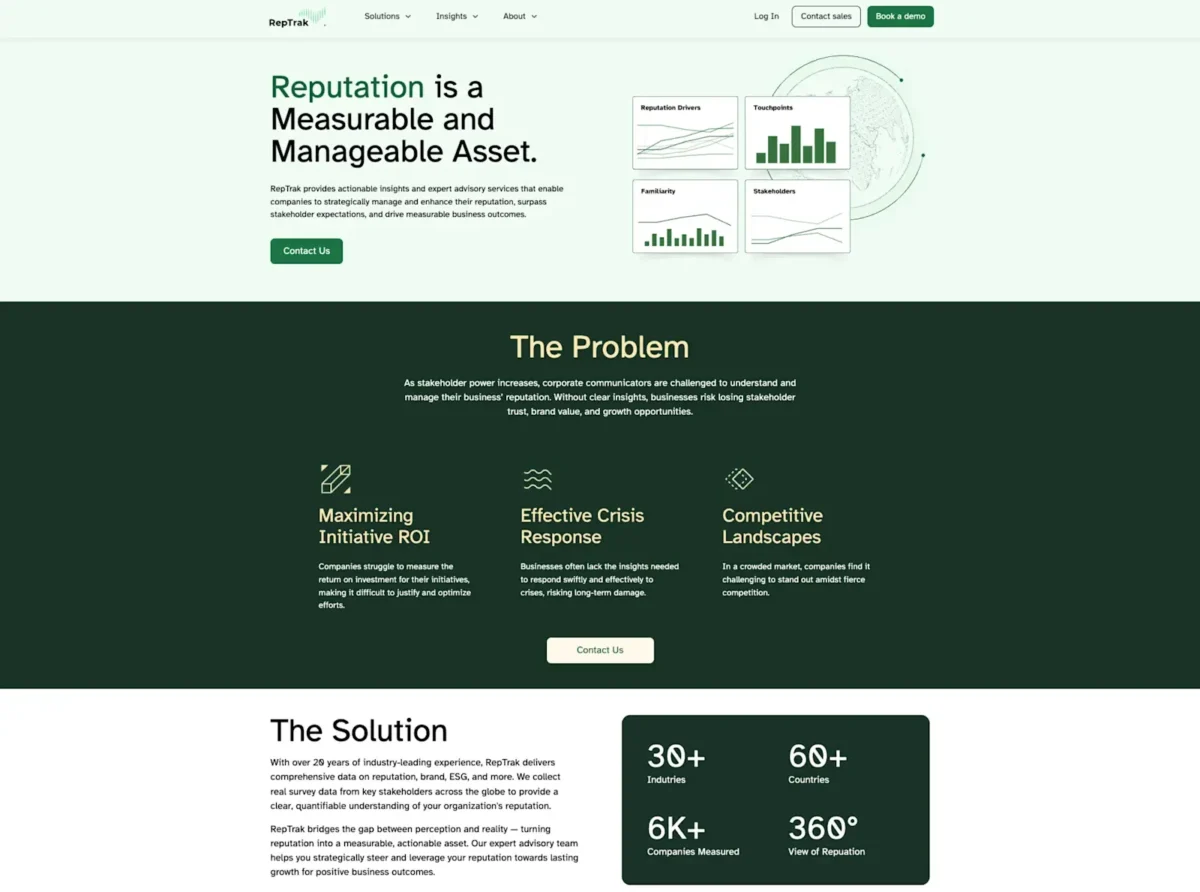
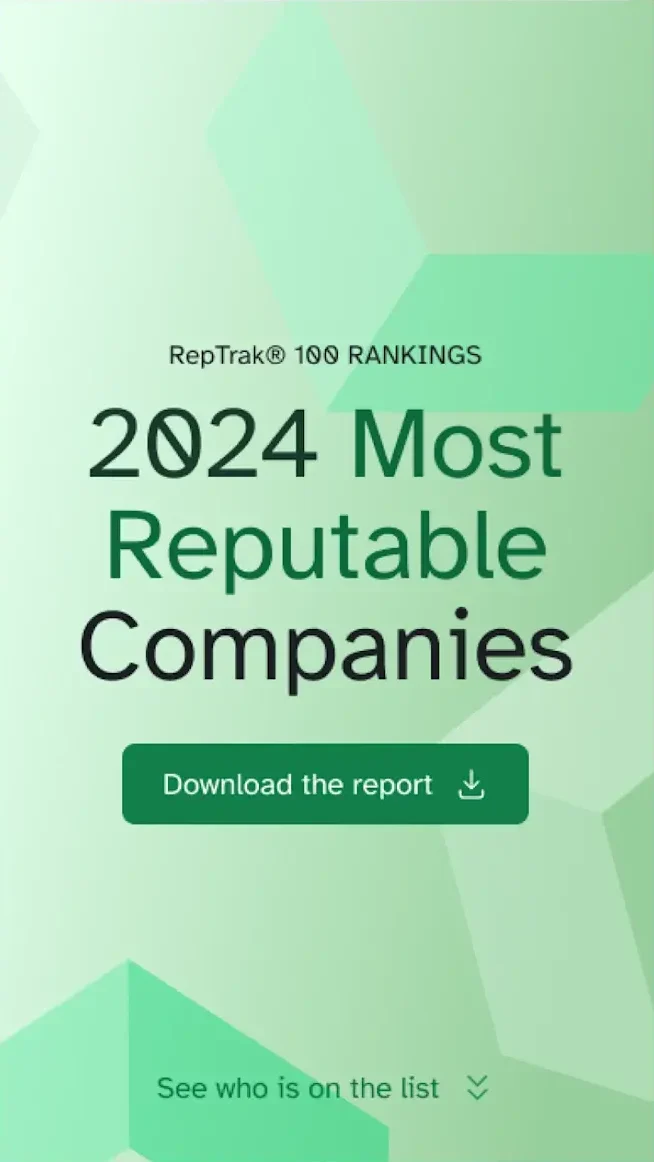
RepTrak’s Home and Global RepTrak 100 Landing Page are their most important lead generators, making it imperative to get these digital experiences right.
Key results
Increase in report downloads
YoY conversion boost
The Challenge
The Global RepTrak 100 report is more than just data — it’s a definitive ranking system recognized industry-wide that reinforces RepTrak’s leadership in the reputation industry. Their homepage demands similar attention as the first or second touchpoint for leads.
The challenge was to design landing pages that not only met the aesthetic and functional needs of their users but also reinforced RepTrak’s brand as a trusted and authoritative source. With the report being their top lead generator for the year, the landing page needed to be engaging, fast-loading, and seamlessly integrated into their Contentful site.
Beyond aesthetics for outside visitors, their internal team required Contentful modeling conducive to empowering Content Managers, guidance on technical integrations, and a new design system.
The Approach
Redefining Technical Support
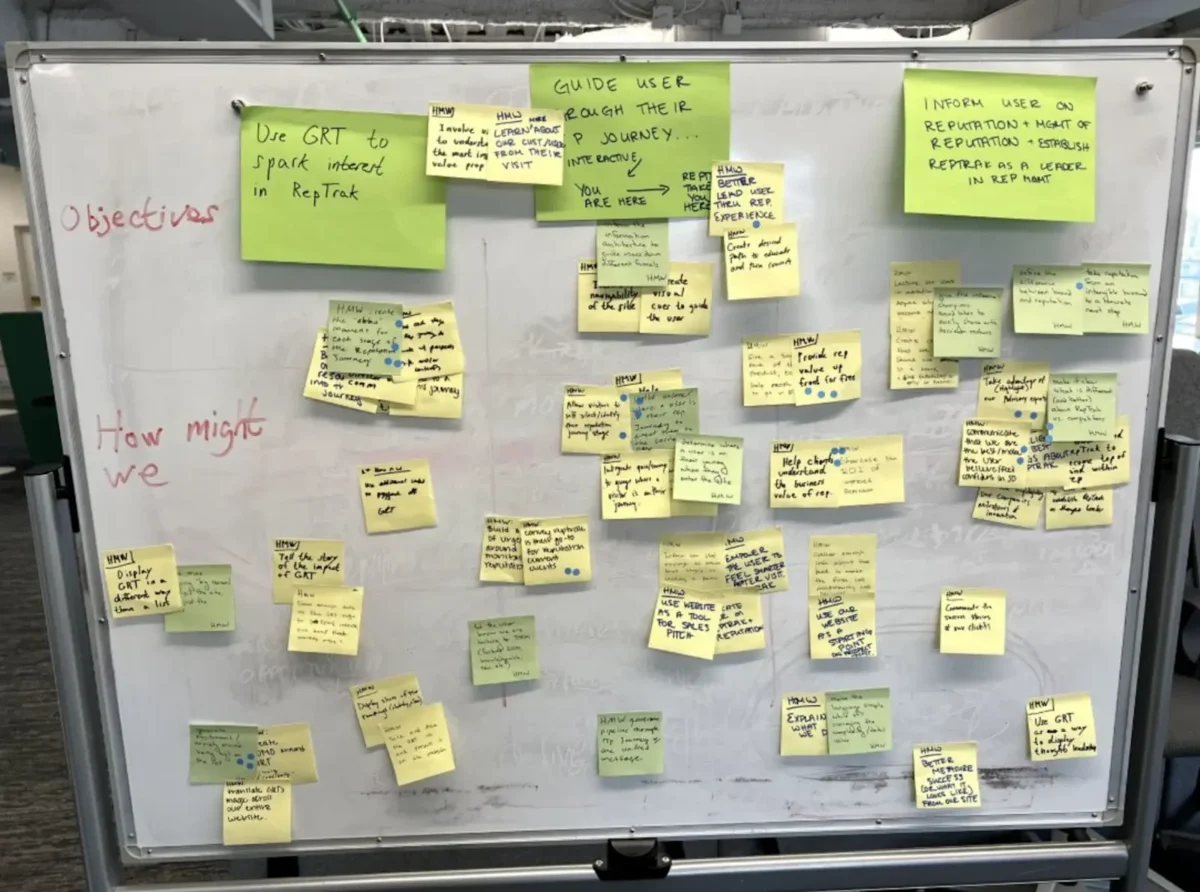
With any project, proper guidance is an often overlooked prerequisite. It’s fairly common to “know what you want” and have no idea how to get there. It’s even more common to “know what you want” and for that journey to achieve the “want” be ill-advised. Without the outside perspective of a technical solutions partner, internal biases and inefficiencies multiply.
We approached this project interdisciplinary and agile. Assuming the role of impartial confidant, we were able to give the RepTrak team objective recommendations, allowing us to focus on speed with a collaborative touch.
Collaborative and Strategic Design
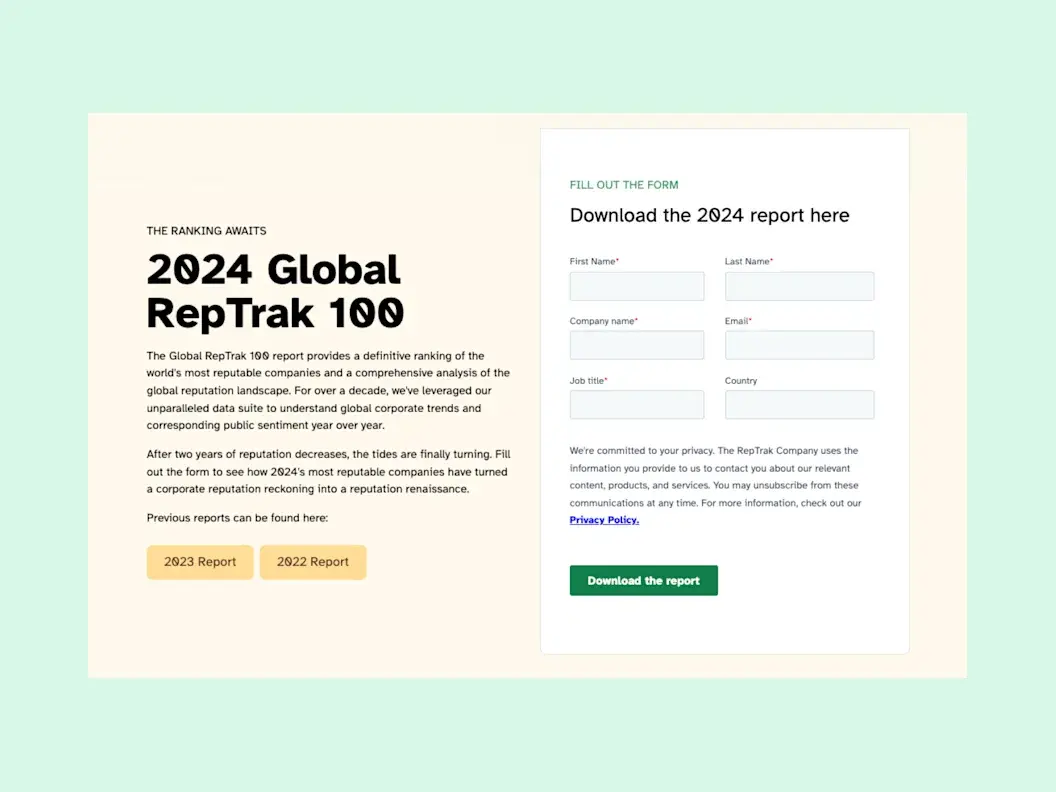
The Home and Global RepTrak 100 landing page received a complete overhaul, designed to elevate user experience, increase engagement, and drive conversions. Not to mention, make content editing and management easier for all parties internally.
The redesigned landing page is a testament to our collaborative efforts with RepTrak, merging aesthetics with functionality. By focusing on user experience and leveraging Contentful’s robust capabilities, we created a page that not only highlights the significance of the Global RepTrak 100 report but also aligns with RepTrak’s brand values and business goals.
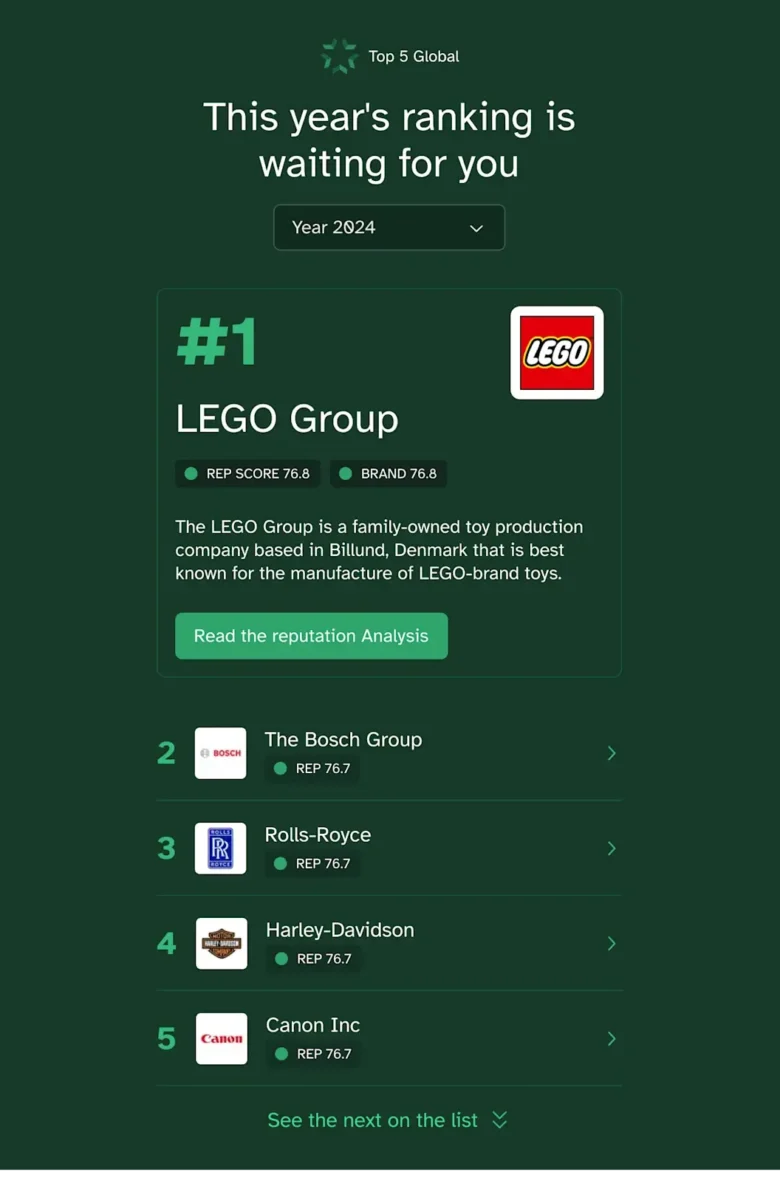
The design features intuitive navigation, clear calls to action, and visually appealing elements that draw attention to key insights from the report. We also incorporated responsive design principles to ensure the page performs well across devices, catering to a global audience.
The Results
The redesign delivered measurable impact on RepTrak’s most important lead generation channels. Report downloads increased by 6% and conversions saw an impressive 40% year-over-year boost.
The new landing page is not just a one-time update — it’s a strategic investment in RepTrak’s digital presence. By ensuring a seamless and engaging experience, we’ve laid the groundwork for future enhancements that will extend to other areas of their Contentful site.
[Oomph] truly understood how important this report was to the company and helped us build something that can be translated across our website — so every piece we release can be just as powerful.
— Bianca Martucci-FiNk, Director of Global Content Marketing, The RepTrak Company
In recent months, Generative Engine Optimization (GEO) has been gaining attention, often positioned as the next evolution beyond traditional Search Engine Optimization (SEO). For some clients, this presents an exciting opportunity to rethink and restructure their digital content. For others, it can feel overwhelming, raising more questions than answers. As AI-powered search tools like ChatGPT, Perplexity, and Gemini change how people discover content online, clients increasingly ask: What is GEO, and how can we prepare our sites for it?
The following handy Q&A guide aims to demystify Generative Engine Optimization (GEO), explain why it matters, and provide practical steps your team can take to get started.
Q: What is GEO and how is it different from SEO?
A: GEO stands for Generative Engine Optimization. While SEO (Search Engine Optimization) focuses on getting your content to rank in traditional search engines like Google (via keywords, backlinks, and site performance), GEO focuses on getting your content mentioned, referenced, summarized, or cited in AI-generated answers from tools like ChatGPT, Gemini, and Perplexity.
Think of SEO as getting your content listed, whereas GEO is about making your brand and its content the answer.
Q: Why should my organization care about GEO?
A: AI platforms are rapidly becoming the first stop for users looking for answers, especially younger audiences and professionals. If an answer appears via Gemini on the top of a Google search, fewer people may scroll further down the page to look for other sources. They got the answer they needed from just one search. If your content isn’t optimized for these tools, you’re missing out on certain traffic data, visibility, and an opportunity to build trust.
In 2026, ChatGPT alone sees over 4.5 billion visits per month, and Perplexity handles nearly 500 million monthly queries.
Q: How is GEO impacting my site’s analytics?
A: Likely a lot. Generative engines often summarize content without requiring a click. That means you may see fewer impressions and clicks, even if your content is powering the AI’s answer. Most websites are seeing direct traffic declining across the board. With that said, users who do click through to sites are often engaging more deeply, leading to longer session durations and higher conversion rates.
Because of this, it’s crucial to learn these new patterns and recognize them within your site’s analytics by setting up new reports.
Q: How do AI engines choose which content to cite?
A: AI tools evaluate a number of factors, with the most important being:
- Authority: Are you a trusted source? Do you have backlinks, credentials, or media citations?
- Structure: Do you use schema markup, headings, and clear Q&A formatting?
- Freshness: Is your content updated regularly?
- Relevance: Does your content align with how users ask questions in natural language?
Each tool has its own algorithm, but clear, factual, structured content with recent updates from trusted sources performs best.
Q: What kind of content works best for GEO?
A: Content that answers questions directly, especially with a conversational tone, tends to work well. Additionally, you want your content to explain not just the what, but also the why and how, since generative engines often expand on user intent. Content structures that perform well for GEO include:
- Q&A sections
- “Top” or “Best” lists (Examples: Top Restaurants in Providence, Rhode Island or Best fall events in California)
- Evergreen guides that are updated annually
- Content that is organized for machines and humans (aka clear headings, mobile-friendly, structured data and metadata)
Q: How can we tell if our content is being featured in AI tools?
A: While most AI platforms don’t yet provide native analytics, you can track GEO success through:
- GA4 segmentation: Filter referral traffic by sources like chat.openai.com or perplexity.ai
- Landing page patterns: AI-driven referrals often land users deep into your site (e.g., specific blogs, not just the homepage)
- Google Search Console: Look for queries with high impressions but low click-through rates, these may indicate your content is being shown in AI Overviews
- Manual Testing: In an incognito window, search for the types of queries you want your site’s content to appear for and see what answers are returned. These might be simple questions like “What does [your organization] do?” or more in-depth research questions that your popular articles have addressed.
- Third Party Tools: As the field continues to develop, more third party tools are becoming available or adapting their analytics to provide insight into GEO success. SEMrush in particular is a tool that we recommend for clients interested in uncovering more data.
Q: Is there a way to make our site more “AI-friendly”?
A: Yes! Here are key GEO best practices:
- Use schema markup: Help AI models understand your content’s structure and intent. You can use schema.org to help guide you through improving your site’s markup.
- Write in a Q&A or conversational format: More people are asking full questions or prompts in ChatGPT—rather than just listing keywords. Match your content with how users phrase queries in AI tools.
- Optimize your About page: Make sure that your About page is thoughtfully written to answer who you are, what you do, and why. ChatGPT, for example, pulls from these pages to assess trustworthiness and authority.
- Refresh content: Update existing articles with new data and a clear structure (aka headings, bullets, FAQ sections, summaries). Note: You don’t need to create new URLs, just refresh the content to make sure it is relevant and current for today.
- Include citations and data points: Wherever possible, add data and sources. These increase your authority and credibility.
Q: Do we need to optimize differently for each AI tool?
A: The core strategies (trustworthiness, schema, natural language, performant) apply across all platforms, but there are nuances:
- Gemini: Heavily tied to Google’s ecosystem. Focus on crawlability and Core Web Vitals.
- Perplexity: Prefers cited, factual content and uses real-time web data.
- ChatGPT: Draws from authoritative sources like Wikipedia, news outlets, and Reddit. Strong personalization and structured content help here.
Q: Can we block AI tools from using our content?
A: Yes, but be thoughtful about what you are blocking. Adding a file like robots.txt can block AI crawlers, but doing so may reduce your visibility and lead to attribution from AI tools. It could also block legitimate crawlers and thus negatively impact both SEO and GEO, so be thoughtful about how you compose and format that file.
Note: If your brand has legal or content ownership concerns, we can help you assess what should or shouldn’t be available for AI training or citation.
Q: Do AI Tools honor authenticated access?
A: Yes, but remain mindful. Models like ChatGPT can’t “log in” or bypass authentication. If full research content is only available behind a user login, it won’t be included in training data or scraped summaries. But still pay attention to how content is displayed. If your research is behind a login or subscription paywall, ensure that:
- No full-text content is available to crawlers
- Abstracts or summaries shown publicly are limited in detail
Q: What is llms.txt and should I add it to my site?
A: llms.txt is a proposed convention for websites to provide a lightweight, machine- & human-readable summary (in Markdown) of the “important” parts of the site, to help large language models (LLMs) more easily crawl, interpret, and use content. More sites are starting to add it to their sites to help guide which pages AI should pay attention to. However, it is not yet a universally supported or enforced standard. Many LLMs or AI platforms do not currently yet automatically look for or honor llms.txt. As of now, you can think of it as a nice-to-have, not a requirement.
Q: How often should we update content for GEO?
A: Best practice recommends updating at least once a year for evergreen content. Prioritize updates for:
- Posts using phrases like “top,” “best,” or “recommended”
- Pages that receive seasonal traffic or include stats
- Key content that’s losing impressions or traffic in Google Search Console
Even simple updates like reordering information, adding new facts, or improving layout can go a long way with AI engines.
Q: Is GEO just another passing trend?
A: Not at all. GEO is a direct response to how AI is changing digital search and content discovery. Platforms like Google are rethinking their search experience through tools like Gemini, as more people turn to these tools for answers. GEO is how brands stay visible in this new AI landscape.
Q: What’s the first step we should take for GEO Optimization?
A: Start with a content and schema audit of your top-performing pages. From there, apply structured markup, rewrite headlines for clarity, add Q&A sections where applicable, and refresh key posts. A phased approach focused on high-value content will have the biggest immediate impact.
Need help figuring out what content to prioritize for GEO? Our team at Oomph can assess your current visibility and build a roadmap tailored to AI performance.
For more insights into GEO optimization, read…
- Everything You Should Know About Optimizing for GEO in 2026
- How LLMs Index Your Site — and How Accessibility Improves Their Answers and Your GEO
Museum websites have a unique duality. Unlike many other digital platforms, their primary goal is to encourage visitors to come in person. Their website may feature engaging articles or archives, cool virtual experiences, or highlight important research, but the physical space remains the heart of the museum, home to priceless collections and host to educational tours and programs. While the digital experience is still an essential one, the main objective of most museums is to welcome people through their doors.
That is why the Visit section of a museum website is extra important. Visitors are looking for a single page that clearly outlines everything they need to know: admission prices and hours, what they can and can’t bring, accommodations for nursing mothers or individuals with disabilities, and so much more. Then again, different people need to know different information, so how do you keep everything together without it ballooning out of control? Despite its importance, many museum websites miss the opportunity to provide clear, concise, and accessible visit information in one central place.
A Survey of Website Visit Page Trends for Museums
As part of a recent engagement with the Isabella Stewart Gardner Museum in Boston, we conducted a cohort analysis of other leading museum and cultural organization websites. The study focused on key elements of museum digital platforms including menu design, navigation, and the Prepare for your Visit page. We noticed a theme that several Visit pages on museum websites felt like long, endless scrolls. They’re often filled with lots of information, but a lack of structure or thoughtful design makes them difficult to quickly parse. Through this exercise of finding what is and isn’t working well and questioning why, we walked away with a strong sense of what makes a successful Visit page.
Answer Visitors’ Top Questions
Who, what, where, when, how. When thinking about what information should be contained on the Visit page, these timeless questions are a strategic starting point. Though simple, they are the questions visitors will ask themselves before they arrive at the museum. These questions can take many forms, but for the Visit page, we’re prioritizing logistics:
- Where is the museum located?
- What does it cost?
- When is it open?
- How do I get there?
- Who can come along?
If you are writing the content for this page, start by answering these key questions.
You may have your content set, but you also need to think about how it is prioritized through strategic page design. You should make sure that the most important information (usually hours and admission prices) is at the top of the page and always visible. Don’t hide this information in accordions. And even if your admission is always free, point that out. Visitors want to have that information before they visit your museum, so make sure it is clearly stated. After all, free or reduced pricing is often an enticing reason for many to come!
Despite what you may think, duplicating some key content in different locations across your website can be helpful, as long as it doesn’t get confusing. Just because you have the hours on the homepage, doesn’t mean you should skip it on the Visit page. Presenting the information in different formats can also be helpful. For example, MoMA’s visitor guide provides a contained experience which includes a lot of content that can be found elsewhere on the site, but organized for a particular need (someone coming to the museum now).
Strike the Balance between Enough and Too Much with Accordions
Nearly every Visit page we studied used accordions. When you’re looking at a long list of content, the option of tucking away big chunks of it into a collapsible block sounds pretty appealing. That said, there are ways to do it well and plenty of ways it can go wrong.
Whenever you use an accordion, you’re asking users to click or tap to see more. While requiring an action like this can be a nice way to keep visitors engaged, whatever they see before interacting needs to accurately represent what’s inside. Let’s say a user wants to know whether they can carry a backpack around the museum. A generic heading — like “Guidelines” — doesn’t speak to its contents and the user could easily overlook it. Accordions that are organized well and labeled clearly — more like ”What You Can Bring in the Gallery” — can improve content organization and reduce cognitive load.
Also take care to make sure that the accordions are built in a way that everyone can use them. Test them with a screen reader and navigate through with only your keyboard to make sure they are meeting accessibility standards.
Our recommendation: use accordions, but strategically. Don’t have more than 7 or 8 and never add essential information there that visitors would be looking for at a quick glance.
Guidelines & Policies
One large category that sometimes stumps museum stakeholders is where to put all the guidelines and policies that they often need to state, sometimes even for legal protections. Oftentimes these get lumped into a large accordion or series of accordions on the Visit page, without the key policies pulled out and clearly stated for visitors looking for quick guidance on whether strollers are allowed in the galleries or whether they can take photos with their new fancy camera.
Particularly when you have an extensive list of guidelines, a successful approach can be linking to a larger guidelines and policies page with the information organized by clear headings and categories (which is also good for SEO/GEO), as seen on The Frick’s website. Just remember our earlier point about duplicate content: For essential guidelines, such as bags and security policies, consider also including this information on the main Visit page.
Help Visitors Plan Their Day
Planning your Visit is a big topic and depending on your museum’s particular offerings, might encompass a lot. Preparing ahead can include everything from directions and parking, what’s on view, amenities (dining, shopping), types of tours offered and at what times, etc. The goal for this content is to make it easy for visitors on the day of their visit, both logistically and emotionally. At the end of the day, you want visitors to get the most out of their time at the museum. Assess what is considered essential information that should be included on the main Visit page, but also what might warrant getting its own subpage. This is where in-page linking can be your best friend.
- Setting Expectations — Setting the right expectations is especially important when a museum provides an experience that deviates from the norm. For the Isabella Stewart Gardner Museum, for instance, they do not have wall labels for every object on display and instead rely on audio and room guides accessible via QR codes throughout the Museum. In their use case, making sure visitors know to bring headphones and have a fully charged phone is key information that may not be applicable to other cultural organizations, nor assumed by visitors before arriving.
- Themed Itineraries — One trend we uncovered in our cohort analysis is the rise of themed itineraries, giving visitors different ways to experience a museum. When creating these, consider what makes your museum unique and the audience groups you want to serve. For example, if you have a garden, you might design a “Garden Lover” itinerary that highlights outdoor spaces alongside artworks featuring landscapes or floral still lifes. Or, if time is the constraint, you could offer a one-hour itinerary like MoMA’s thoughtfully titled “The Unmissables.”
- Keeping the Delightful — In our conversations with museum stakeholders and throughout our cohort analysis, we learned that it’s common for most visitors to arrive at a museum having done very little, if any, preparation about the type of experience they will receive. Though every museum operates a little differently and has its own quirks, people come thinking they know what to expect based on past experiences. The resulting surprise can be anywhere from delightful to disorienting. Balancing the element of surprise with the right amount of logistical information for expectation setting can be a challenge, but hopefully a fun one to think through.
Prioritize an Easy Mobile Experience
Visitors often state that they want to “disconnect” while at a museum. They might be happy to pull out their phone for a photo, but otherwise want to spend their time and energy on the physical space around them. We truly love that for them, but also know that the website can, at times, meaningfully enhance the visitor experience. When thinking about what types of content should be considered from a mobile-first perspective, these come to mind:
- Maps — Include key features like restrooms and elevators. Enable common gestures like pinch-to-zoom and panning. Bonus points if the map is interactive, for example letting the user tap on a gallery to see what’s in it.
- Audio Guides — Provide basic controls, including play/pause, skip forward and backward (e.g. 15 seconds), and speed control. Let users access the transcript for greater accessibility.
- Artwork Information — This is especially important in the instance, like at the Gardner, where wall labels are not displayed in-situ and visitors are encouraged to access these via their phone in the galleries. They’ve addressed the need with digital Room Guides.
Ultimately, any content that is meant to be accessed while at the museum — member login and event schedule, for example — needs to be optimized for mobile. It’s especially important for this content to be easy to use and navigable on a small screen. We don’t want visitors to get lost in their phones or frustrated and ultimately give up. It needs to be intuitive to be a smooth piece of the whole experience.
Building a Successful Visit Page for Museums
Similar to building a successful navigation for a museum website, the first task of any organization looking to refresh their Visit page is to put yourself in the shoes of your visitors. Come up with a few key user journeys for various audiences. What would a family with small children need to know before coming to the museum? How about a person who requires a wheelchair or someone with low vision? What information would a student be searching the Visit page for?
Beyond walking through the experience first-hand yourself, it helps to get an outside perspective. If you have the means to talk to visitors while they’re on-site, that can lead to some fascinating insights on their in-gallery experience. However, know that you’ll most likely encounter a positive bias in their responses. Not only are they enjoying a day at the museum, but it can be tough to give critical feedback to someone standing right in front of them.
To counter that bias, gather feedback from additional sources: pop-up or email surveys, controlled usability testing, and website analytics. All of that data together can help give you the building blocks to ensure your visit page strikes the balance between being engaging and informative. By prioritizing clarity, accessibility, and thoughtful design, museums can ensure that visitors arrive knowledgeably at ease and excited to explore.
A well-crafted Visit page is more than just a logistics hub, it’s the digital admissions desk of your museum.
When done right, it reduces friction, answers essential questions, and sets the stage for a memorable in-person experience. Ultimately, the Visit page isn’t just about driving attendance, it’s about shaping the visitor’s journey from the very first click to the moment they step through your doors.
Learn more about building a successful Visit page in a Case Study of our 2025 Re-Architecture project for the Isabella Stewart Gardner Museum.
Generative Engine Optimization (GEO) is making organizations scramble — our clients have been asking “Are we ready for the new ways LLMs crawl, index, and return content to users? Does our site support evolving GEO best practices? What can we do to boost results and citations?”
Large language models (LLMs) and the services that power AI summaries don’t “think” like humans but they do perform similar actions. They seek content, split it into memorable chunks, and rank the chunks for trust and accuracy. If pages use semantic HTML, include facts and cite sources, and include structured metadata, AI crawlers and retrieval systems will find, store, and reproduce content accurately. That improves your chance of being cited correctly in AI overviews.
While GEO has disrupted the way people use search engines, the fundamentals of SEO and digital accessibility continue to be strong indicators of content performance in LLM search results. Making content understandable, usable, and memorable for humans also has benefits for LLMs and GEO.
How LLM systems (and AI-driven overviews) get their facts
Understanding how LLMs crawl, process, and retrieve web content helps us understand why semantic structure and accessibility best practices have a positive effect. When an AI system generates an answer that cites the web, several distinct back-end steps usually happen:
- Crawling — Bots visit URLs and download page content. Some crawlers execute javascript like a browser (Googlebot) while others prefer raw HTML and limit their rendering.
- Chunking — Large documents are split into small, logical “chunks” of paragraphs, sections, or other units. These chunks are the pieces that are later retrieved for an answer. How a page’s content is structured with headings, paragraphs, and lists determines the likely chunk boundaries for storage.
- Vectorization — Each chunk is then converted into a numeric vector that captures its semantic meaning. These embeddings live in a vector database and enable systems to find chunks quickly. The quality of the vector depends on the clarity of the chunk’s text.
- Indexing — Systems will store additional metadata (URL, title, headings, metadata) to filter and rank results. Structured data like schema metadata is especially valuable.
- Retrieval — A user asks a question or performs a search and the system retrieves the most semantically similar chunks via a vector search. It re-ranks those chunks using metadata and other signals and then composes its answer while citing sources (sometimes).
The Case for Human-Accessible Content
There are many more reasons why digital accessibility is simply the right thing to do. It turns out that in addition to boosting SEO, accessibility best practices help LLMs crawl, chunk, store, and retrieve content more accurately.
During retrieval, small errors like missing text, ambiguous links, or poor heading order can fail to expose the best chunks. Let’s dive into how this can happen and what common accessibility pitfalls contribute to the confusion.
For Content Teams — Authors, Writers, Editors
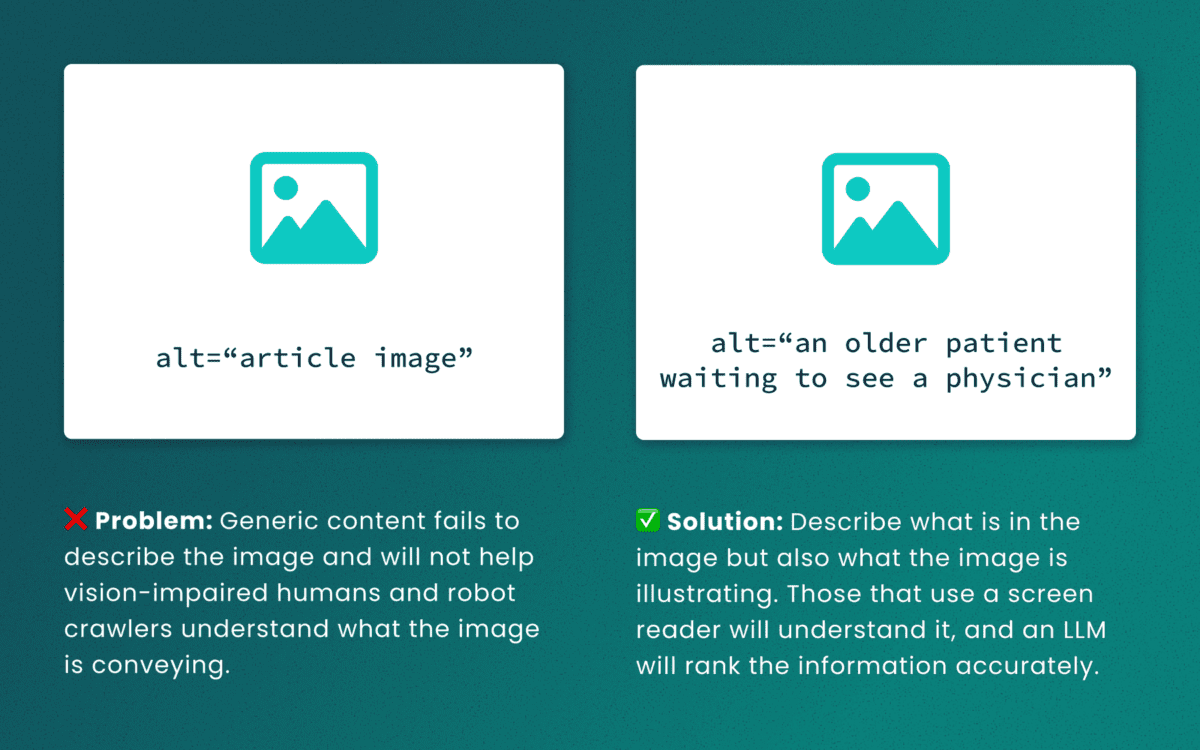
Lack of descriptive “alt” text
While some LLMs can employ machine-vision techniques to “see” images as a human would, descriptive alt text verifies what they are seeing and the context in which the image is relevant. The same best practices for describing images for people will help LLMs accurately understand the content.
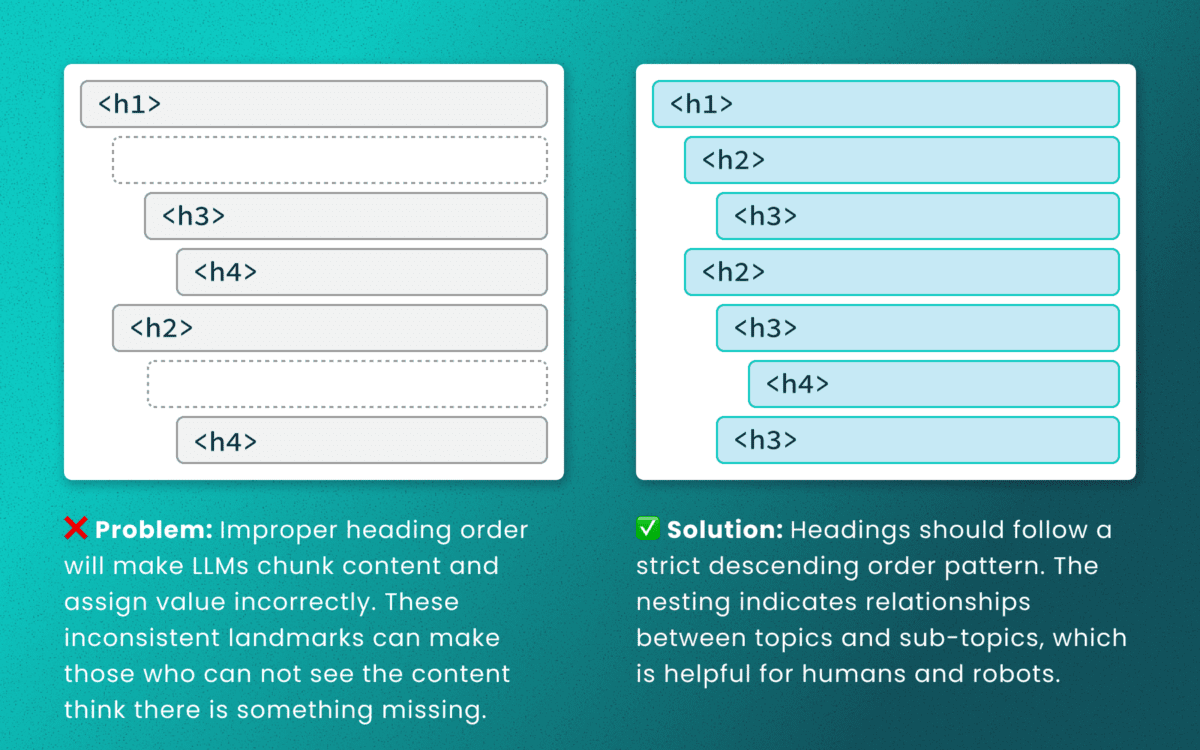
Out-of-order heading structures
Similar to semantic HTML, headings provide a clear outline of a page. Machines (and screen readers!) use heading structure to understand hierarchy and context. When a heading level skips from an <h2> to an <h4>, an LLM may fail to determine the proper relationship between content chunks. During retrieval, the model’s understanding is dictated by the flawed structure, not the content’s intrinsic importance. (Source: research thesis PDF, “Investigating Large Language Models ability to evaluate heading-related accessibility barriers”)
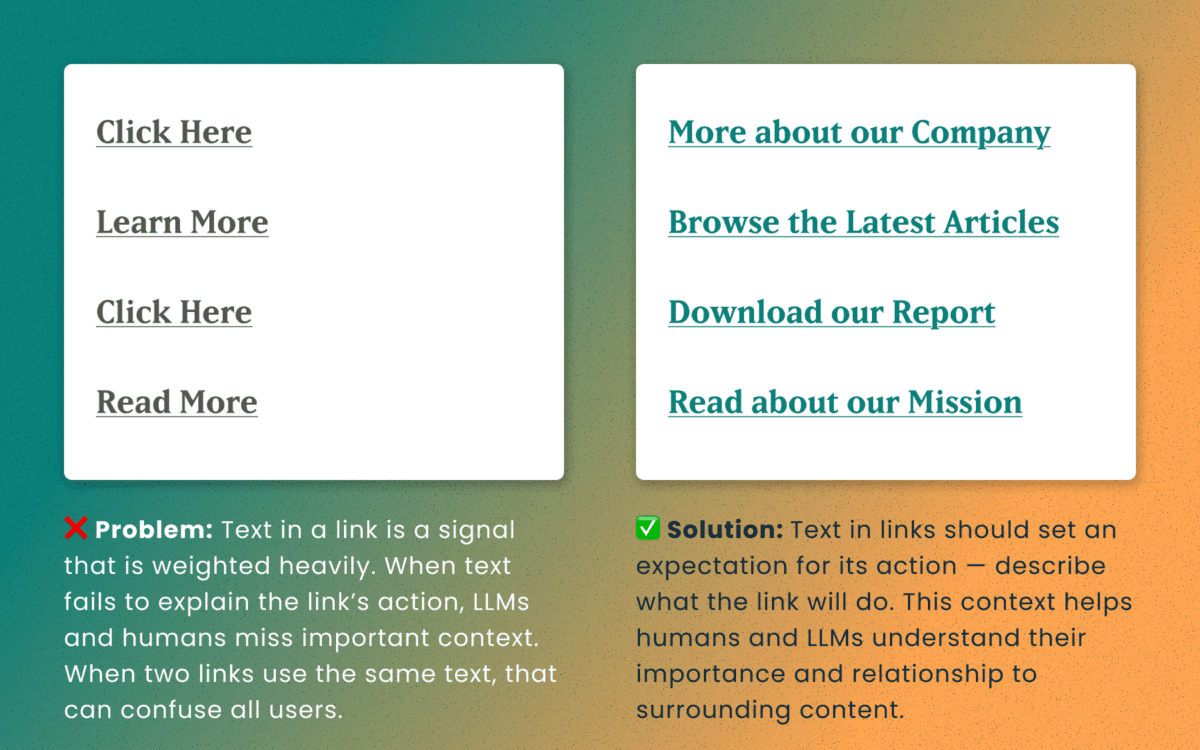
Descriptive and unique links
All of the accessibility barriers surrounding poor link practices affect how LLMs evaluate their importance. Link text is a short textual signal that is vectorized to make proper retrieval possible. Vague link text like “Click here” or “Learn More” does not provide valuable signals. In fact, the same “Learn More” text multiple times on a page can dilute the signals for the URLs they point to.
Using the same link text for more than one destination URLs creates a knowledge conflict. Like people, an LLM is subject to “anchoring bias,” which means it is likely to overweight the first link it processes and underweight or ignore the second, since they both have the same text signal.
Example of the duplicate link problem: <a href=“[URL-A]”>Duplicate Link Text</a>, and then later in the same article, <a href=“[URL-B]”>Duplicate Link Text</a>. Conversely, when the same URL is used more than once on a page, the same link text should be repeated exactly.
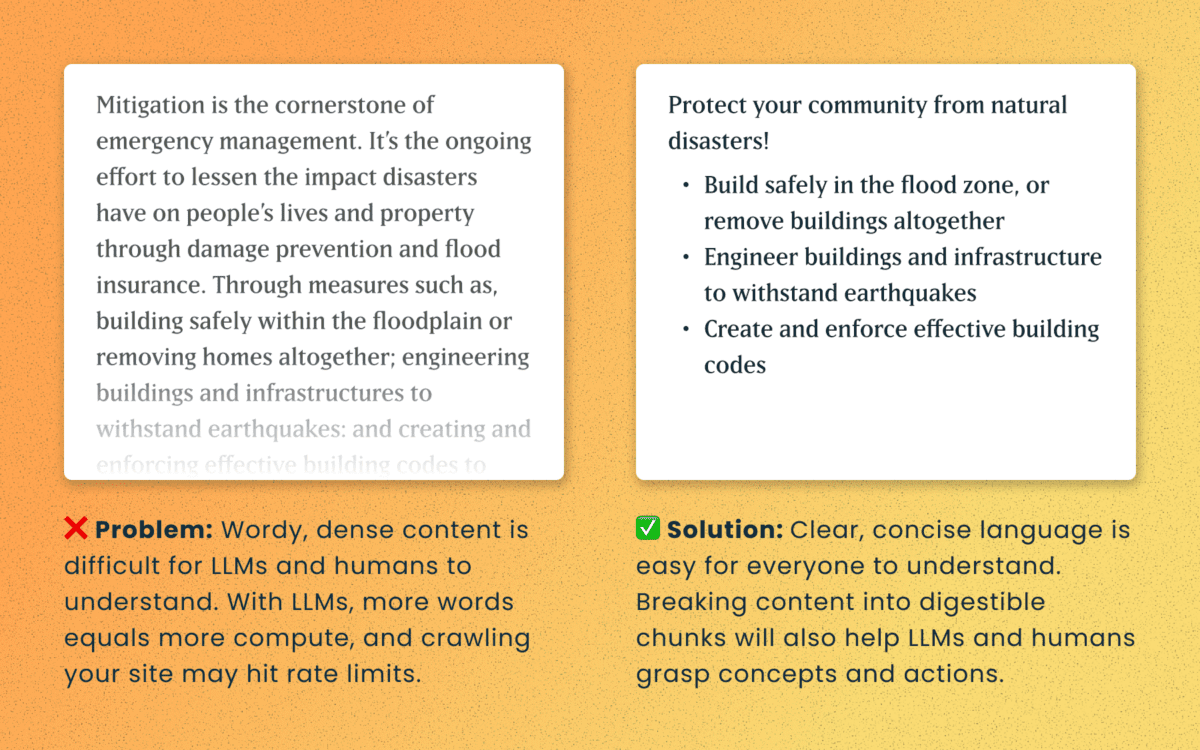
Logical order and readable content
Simple, direct sentences (one fact per sentence) produce cleaner embeddings for LLM retrieval. Human accessibility best practices of plain language and clear structure are the same practices that improve chunking and indexing for LLMs
For Technical Teams — IT, Developers, Engineers
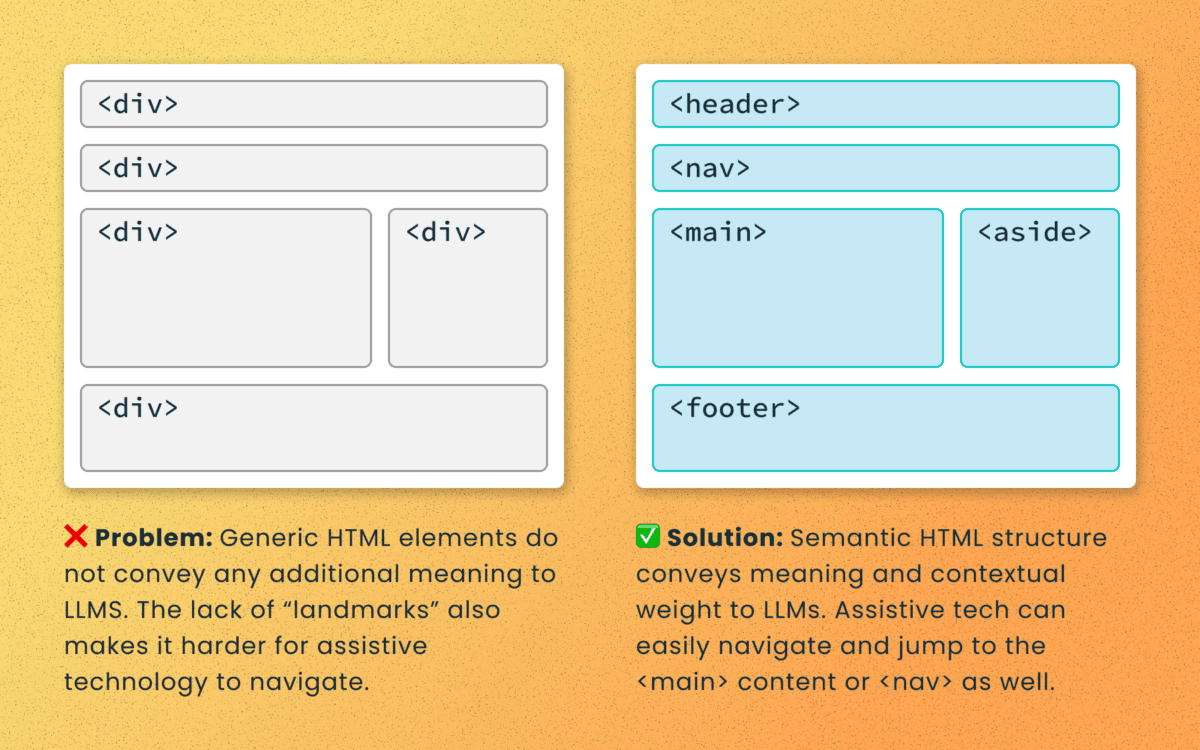
Poorly structured semantic HTML
Semantic elements (<article>, <nav>, <main>, <h1>, etc.) add context and suggest relative ranking weight. They make content boundaries explicit, which helps retrieval systems isolate your content from less important elements like ad slots or lists of related articles.
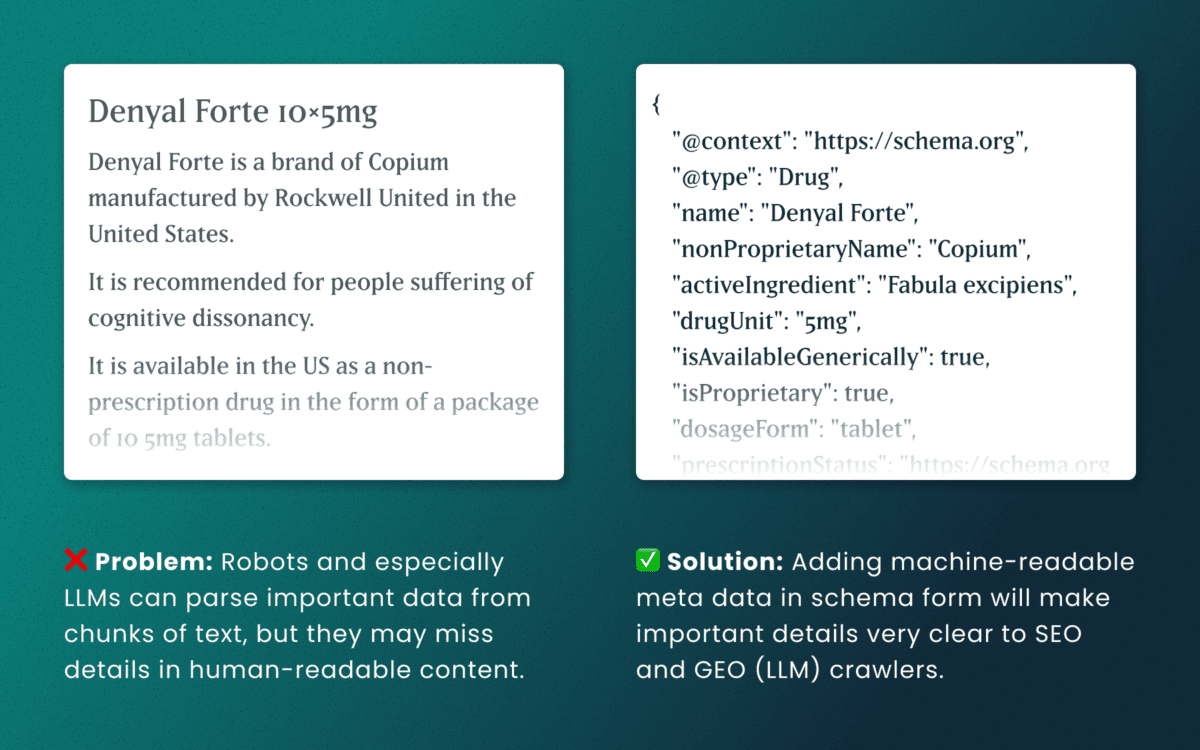
Lack of schema
This is technical and under the hood of your human-readable content. Machines love additional context and structured schema data is how facts are declared in code — product names, prices, event dates, authors, etc. Search engines have used schema for rich results and LLMs are no different. Right now, server-rendered schema data will guarantee the widest visibility, as not all crawlers execute client-side Javascript completely.
How to make accessibility even more actionable
The work of digital accessibility is often pushed to the bottom of the priority list. But once again, there are additional ways to frame this work as high value. While this work is beneficial for SEO, our recent research uncovers that it continues to be impactful in the new and evolving world of GEO.
If you need to frame an argument to those that control the investments of time and money, some talking points are:
- Accurate brand representation — Poor accessibility hides facts from LLMs. When customers ask an AI assistant for “best X for Y,” your content may not be shown — or worse, misrepresented. Fixing accessibility reduces brand risk and increases content authority.
- Engagement boost — Improvements that increase accurate citations and AI visibility can increase referral traffic, feature mentions, and lead quality. In a landscape where AI Answers are reducing click-through rates, keeping the traffic you have on your site for longer and building brand trust becomes vital.
- Increased exposure — Digital inclusion makes your content widely accessible to machines and the machines that assist humans. Think about a search engine as another human-assistive device, just like a keyboard or screen reader.
- Multi-pronged benefits — Accessibility improvement improves traditional SEO, can benefit mobile performance, and reduces the risks associated with accessibility compliance policies.
Staying steady in the storm
Let’s be clear — this summer was a “generative AI search freak out.” Content teams have scrambled to get smart about LLM-powered search quickly while search providers rolled out new tools and updates weekly. It’s been a tough ride in a rough sea of constant change.
To counter all that, know that the fundamentals are still strong. If your team has been using accessibility as a measure for content effectiveness and SEO discoverability, don’t stop now. If you haven’t yet started, this is one more reason to apply these principles tomorrow.
If you continue to have questions within this rapidly evolving landscape, talk to us about your questions around SEO, GEO, content strategy, and accessibility conformance. Ask about our training and documentation available for content teams.
Additional Reading
- AHREFs.com: Is SEO Dead? Real Data vs. Internet Hysteria
- SearchEngineJournal.com: How LLMs Interpret Content: How To Structure Information For AI Search
- InclusionHub.com: SEO and Web Accessibility: What You Need to Know (from 2020, but still relevant)